Developer tools · MVP
ANVIL
AI agent orchestrator
ANVIL is a local-first coding agent with terminal, Telegram, and web interfaces for planning work, inspecting code, and approving changes.
Role Independent developer
Tools and technologies
- TypeScript
- Bun
- Vercel AI SDK
- OpenRouter
- OpenTUI
- SQLite
- Telegraf
Why I built it
I wanted a coding agent I could run from my terminal or steer from my phone. The difficult part was giving the model enough freedom to inspect a repository and work through a task while keeping edits and shell commands under my control. I built the mode runners and the tool executor around that boundary, then exposed the same review decisions in the terminal, Telegram, and web dashboard.
Architecture
- Terminal, Telegram, or web dashboardOpenTUI and React render the terminal. Telegram starts remote runs. The web dashboard reads transcripts and can resolve pending approvals.
- Chat, Ask, Plan, or AgentThe selected mode determines the toolset and how the run proceeds.
- Vercel AI SDK and OpenRouterThe mode runner supplies the model with conversation context, a repository map, and tools.
- Tool executorRead tools inspect the workspace. Mutation tools stage proposed changes in an in-memory overlay.
- Approval and applyThe user reviews file diffs and approves or rejects operations. Interactive shell commands ask separately before they run.
- Local persistenceJSONL stores sessions and pending Telegram approvals. SQLite stores synchronized Classroom data.
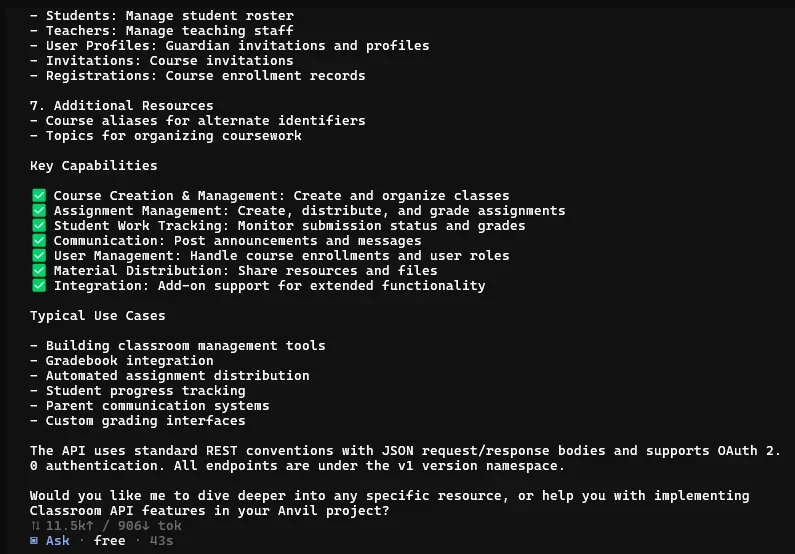
I gave each mode a different contract. Chat maintains a multi-turn conversation and can switch models and tool profiles. Ask reads the workspace and answers questions without editing. Plan researches a task, produces a structured list of steps, and lets the user select which steps to run. Agent follows a goal through up to 40 tool steps in a run. Ask and plan research have lower budgets. A repository tree in the prompt gives the model an initial map, so it can choose relevant files before issuing read calls.
Staging edits and approving commands
An agent often has to alter the same file multiple times in one run. If reads saw only the disk, the next tool call would miss the previous proposed edit. I built an in-memory view where reads see staged content and staged deletions are hidden. The executor can then compose consecutive edits against the version the agent expects to find.
At review time, ANVIL groups edits by path and builds a unified diff from the original and final contents. The user can inspect the result before applying it. The terminal and web controls can settle the same pending review, so approving it from the dashboard also resolves it in the terminal. The executor checks paths against the workspace boundary during staging and again before applying approved file changes.
Shell commands need a separate decision because their output may determine the agent’s next step. In interactive runs, the user can review and approve each command, and the executor returns its output to the model. In workflows without an interactive approval gate, shell commands are queued for review. The workspace path checks govern file tools. Shell commands depend on explicit approval, so I describe those as separate controls.
Sessions, usage, and integrations
I kept conversation history and pending remote approvals in a local JSONL store so work can resume after a restart. The web dashboard shows session transcripts and a 14-day usage view. ANVIL records token use per run, uses OpenRouter pricing for cost estimates, and compares recent input-token use with the model’s context limit. The usage history answers what a run cost, while the context meter helps decide whether to start a fresh session.
Google Classroom is a separate workflow. A polling scheduler reads coursework and announcements, tracks synchronized records in SQLite, and connects with Drive, Calendar, and Tasks. Telegram can show daily and weekly digests. I kept that synchronization out of the coding tool loop so it can run on a schedule independently of a chat or agent run.
Screenshots