Browser automation · Experiment
Chrome Dino Automation
Exploring browser internals through game automation
A rule-based JavaScript automation experiment that makes Chrome's Dino game play itself by inspecting internal game state and dynamically responding to obstacles.
Tools and technologies
- JavaScript
- Browser DevTools
- DOM Events
Overview
A small experiment exploring how JavaScript can interact with the internal state of a browser-based game.
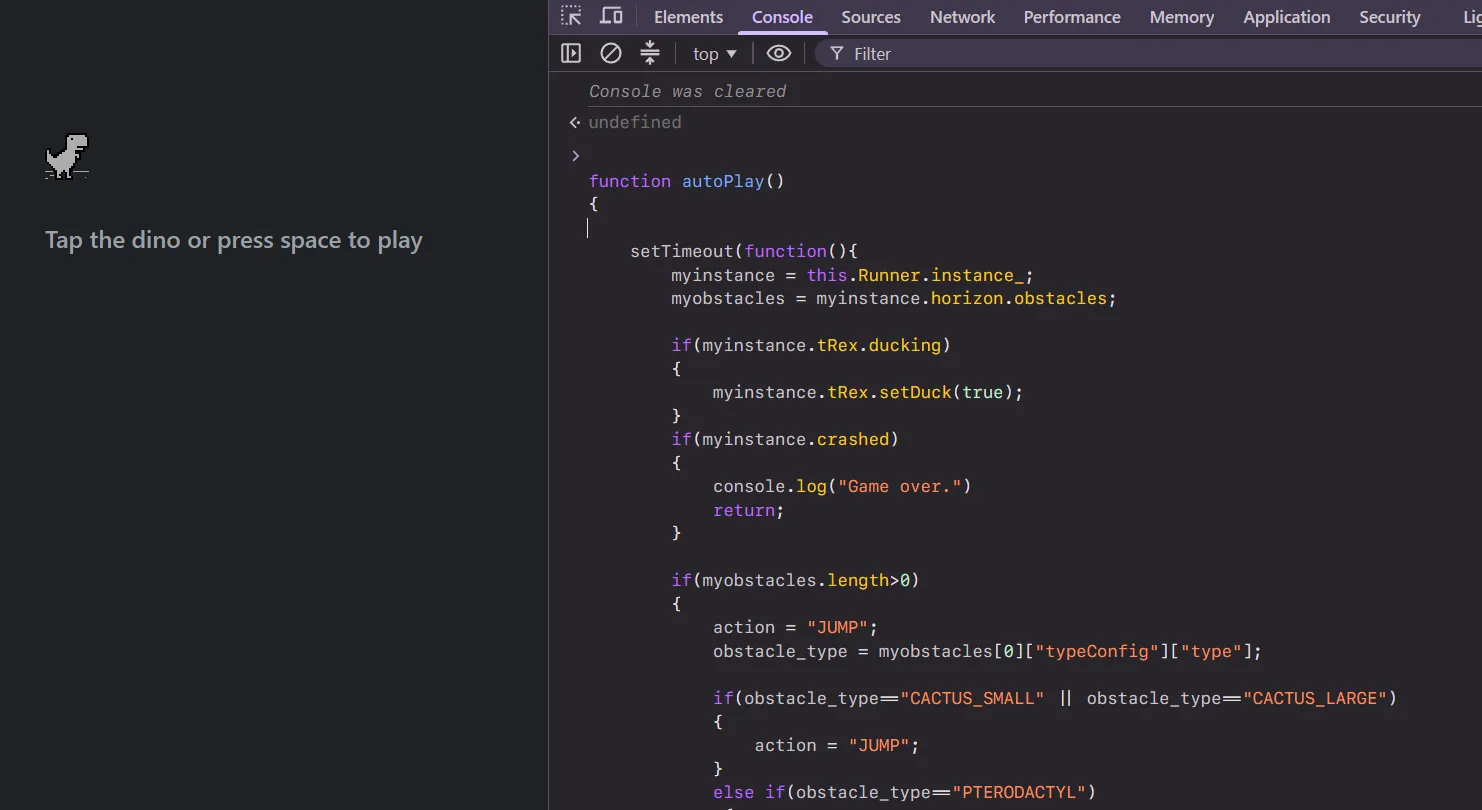
Instead of relying on screen recognition or external automation tools, the script directly accesses Chrome Dino’s internal game objects to detect obstacles, evaluate their positions, and automatically decide when to jump or duck.
How It Works
The automation runs directly within the browser’s JavaScript execution context through Chrome DevTools.
It accesses the game’s internal Runner instance to retrieve:
- Upcoming obstacles and their positions.
- Obstacle types, heights, and widths.
- Current game speed.
- Dinosaur and collision state.
This information is used by a rule-based decision system to determine the appropriate action during gameplay.
Implementation
Initial Approach
The first implementation uses a recurring 20ms timer to inspect upcoming obstacles.
It distinguishes between cacti and flying obstacles, selecting either a jump or duck action based on their type, position, and height.
Actions are performed by calling the game’s internal character methods directly.
Improved Automation
A fixed obstacle-distance threshold becomes less suitable as the game’s speed increases.
The upgraded implementation introduces dynamic thresholds calculated from the current game speed and obstacle width.
It also replaces direct character method calls with synthetic keyboard events and checks the game state at 5ms intervals.
This allows the automation to respond to changing gameplay conditions without relying entirely on fixed distances.
Architecture
Chrome Dino Game
       |
       v
Internal Runner Instance
       |
       v
Game State & Obstacle Inspection
       |
       v
Rule-Based Decision Logic
       |
       v
Jump / Duck
       |
       v
Synthetic Keyboard Events
       |
       +------ Repeat
Key Technical Concepts
- Browser runtime inspection.
- JavaScript object and instance manipulation.
- Synthetic keyboard event generation.
- Timer-based game state monitoring.
- Speed-dependent decision thresholds.
- Rule-based automation and feedback loops.
What I Learned
This experiment was an introduction to understanding how browser applications behave beneath their visual interfaces.
It helped me explore how internal JavaScript objects, event systems, and continuously changing application state can be used to automate interactions without requiring external automation libraries.
The project is intentionally lightweight and runs entirely inside the browser.
Limitations
The automation relies on Chrome Dino’s internal implementation, which is not a stable public API.
Changes to the game’s internal structure may require updates to the scripts. Browser timer scheduling can also affect the responsiveness of the automation.
Source Code
Both implementations are available in the public GitHub repository, along with instructions for running the experiment through Chrome DevTools.