Education
Edgecase
Coding practice platform
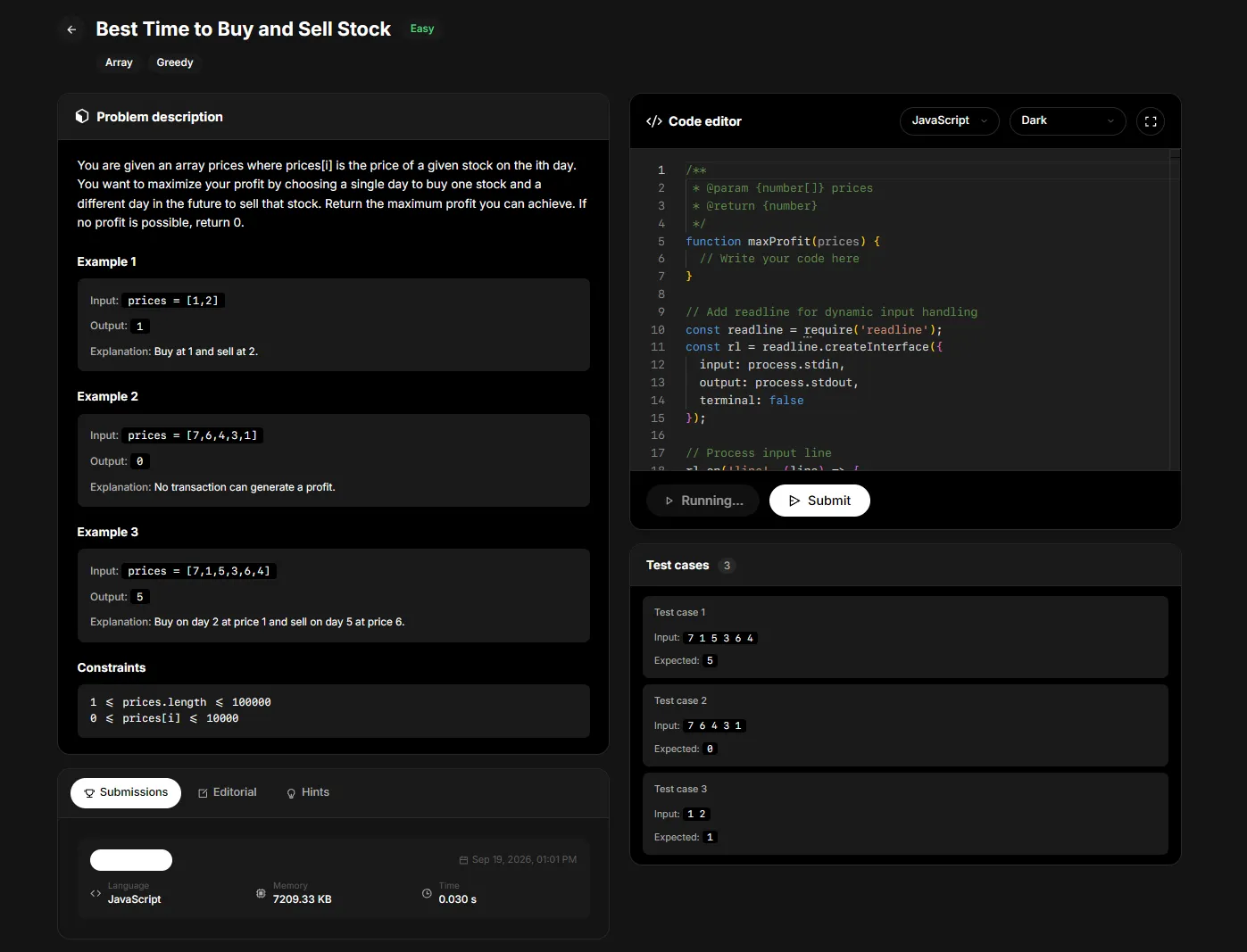
Edgecase lets students solve programming problems in the browser, organize them into playlists, and track their progress.
Role Independent developer
Tools and technologies
- Next.js
- TypeScript
- Prisma
- PostgreSQL
- Clerk
- Monaco Editor
- Judge0
Why I built it
I built Edgecase for university students who want to practice programming problems and track which ones they have solved. I also wanted administrators to be able to add problems, templates, and test cases from the application. Those requirements made this more than an editor with a run button. I had to connect execution results to the right student and problem, and give the authoring workflow a way to check reference solutions before saving a challenge.
From the editor to a verdict
- Monaco EditorThe browser sends the solution, language, problem identifier, and cases loaded in the exercise view.
- Next.js server actionThe server resolves the student and checks that inputs and expected outputs are paired.
- Self-hosted Judge0The server sends a batch of test inputs and polls for the results using the returned tokens.
- Evaluation and feedbackThe application compares returned output with expected output and reports per-case results.
- PostgreSQLPrisma records the submission and test results and marks the problem solved when every case passes.
I connected Monaco to a Next.js server action and kept execution in a separate Judge0 service. The problem view loads the test cases, and the editor hook sends them with the solution. The action submits one batch, with one execution per test case. Judge0 handles JavaScript, Python, and Java. Its response tokens let the backend poll for results while keeping the application responsible for how those results are recorded and displayed.
The action compares trimmed standard output against each expected result. I kept per-case results alongside the overall verdict so the application can show a failed comparison or a compilation error in context. The timing and memory values come from Judge0. The cases currently travel with the browser submission, which fits a practice workflow with visible cases. A hidden-test assessment would need to load its expected results on the server.
Separating attempts from progress
I modeled attempts and solved problems separately. A student can submit the same problem many times, and each submission retains its test results. A successful attempt upserts the student–problem record used for progress, so solving the same problem again adds a submission without counting it as a second solved problem.
The same PostgreSQL schema keeps problem definitions, cases, tags, editorials, and playlist membership. Clerk provides the application identity, and the app syncs that identity to a local user record. This gives submission history and playlists a stable owner while letting Prisma join the records needed by the problem and profile views.
Validating problems before students see them
A syntactically valid problem form can still contain a broken reference solution or incorrect expected output. I used Zod for the authoring form and built a separate check into the server route. The route checks the user’s admin role, requires test cases, then sends the supplied reference solutions and cases to Judge0. A failed case prevents the new problem from being saved and gives the administrator the expected and observed result.
Using the same execution service for authoring and submissions gives the administrator feedback from the environment that will judge the students’ code. The extra execution time occurs when a challenge is created, where catching a faulty test is more useful than accepting a form immediately.