Developer tools
FoxAI
AI-powered pull request review platform
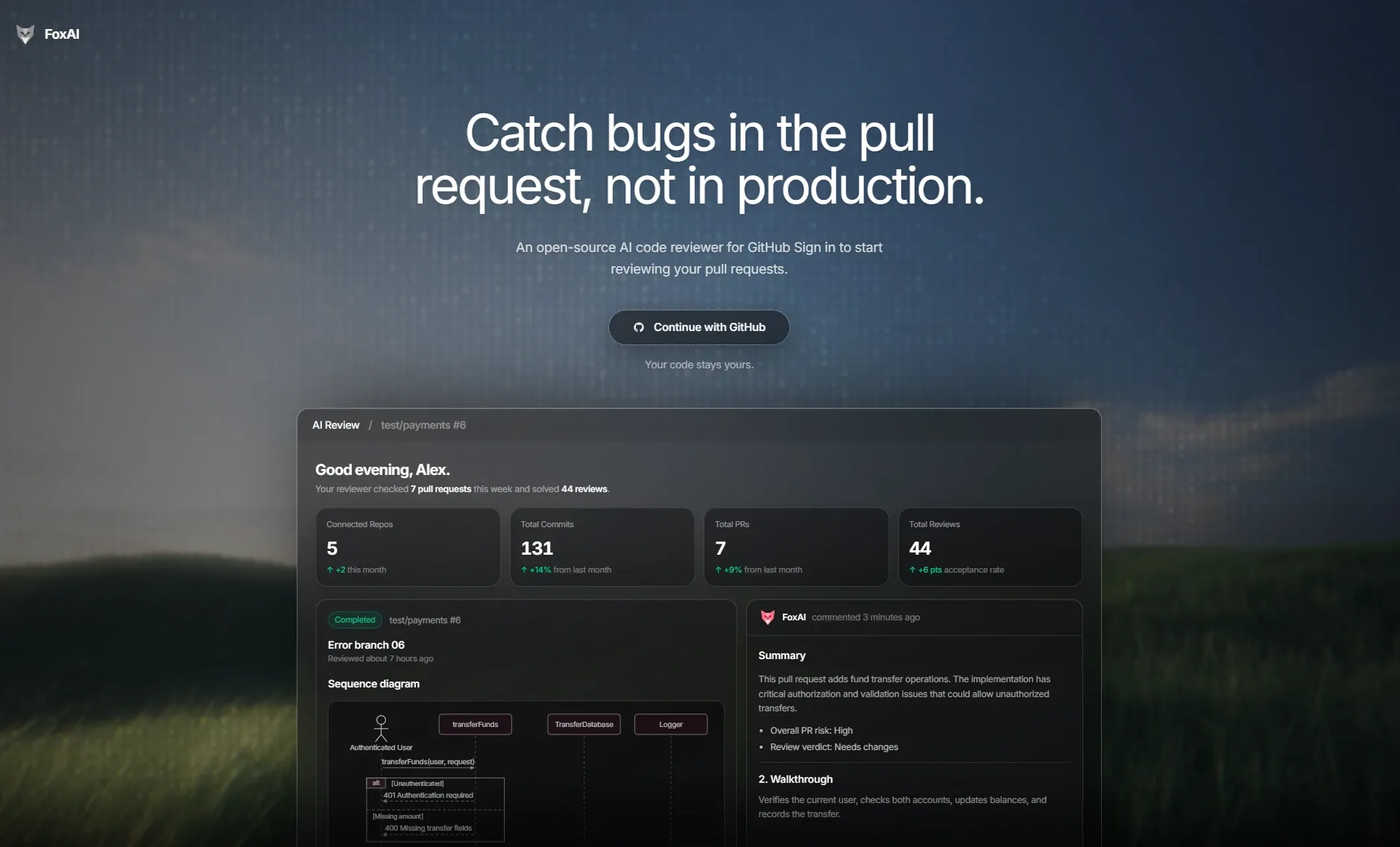
FoxAI reviews incoming GitHub pull requests and posts structured findings for developers to act on.
Role Independent developer
Tools and technologies
- Next.js
- TypeScript
- Prisma
- PostgreSQL
- Better Auth
- Octokit
- Inngest
- Pinecone
Why I built it
A pull request diff shows what changed, but it can leave out the callers and contracts a reviewer needs to understand the change. I built FoxAI as an additional reviewer for developers working in GitHub. It brings nearby repository context into the review and puts the result on the pull request, where the author can compare a finding with the code.
I built the GitHub connection, repository indexing, webhook intake, and review workflow. The project had two different kinds of work to coordinate. Connecting a repository can require reading and indexing many files. Reviewing a pull request needs the current diff and a much smaller slice of that indexed context.
From pull request to review
- GitHub webhookA pull request open or synchronize event reaches the Next.js endpoint.
- Review requestThe application resolves the connected repository, checks eligibility, and dispatches an Inngest event.
- Diff and repository contextThe job fetches PR metadata and the diff through Octokit, then retrieves related context from Pinecone.
- AI reviewThe model receives the diff and retrieved context and produces a structured Markdown review.
- Delivery and storageOctokit posts the comment on GitHub. Prisma saves the review in PostgreSQL for the dashboard.
Better Auth handles GitHub OAuth. Once a user connects a repository, Octokit uses the authorized account to read repository and pull request data. Connecting also starts a separate indexing workflow. It reads the repository files, generates embeddings, and stores them in Pinecone so the review job can search the connected repository when an event arrives.
Why the review runs in a job
Retrieving a diff, querying the index, and generating a review have different latency and failure modes. I separated them from the incoming HTTP request. The webhook handles the event and starts the review request. Inngest owns the expensive review steps. The webhook response acknowledges receipt. Developers see the result later as a GitHub comment.
Inside the job I separated data retrieval, context lookup, generation, comment posting, and database storage. That structure makes it possible to tell whether a failure happened while fetching the PR, while producing a review, or while delivering it. A missing account token, for example, prevents the worker from fetching the diff before it reaches generation. The review persisted for the dashboard is tied to the connected repository and pull request.
What a reviewer sees
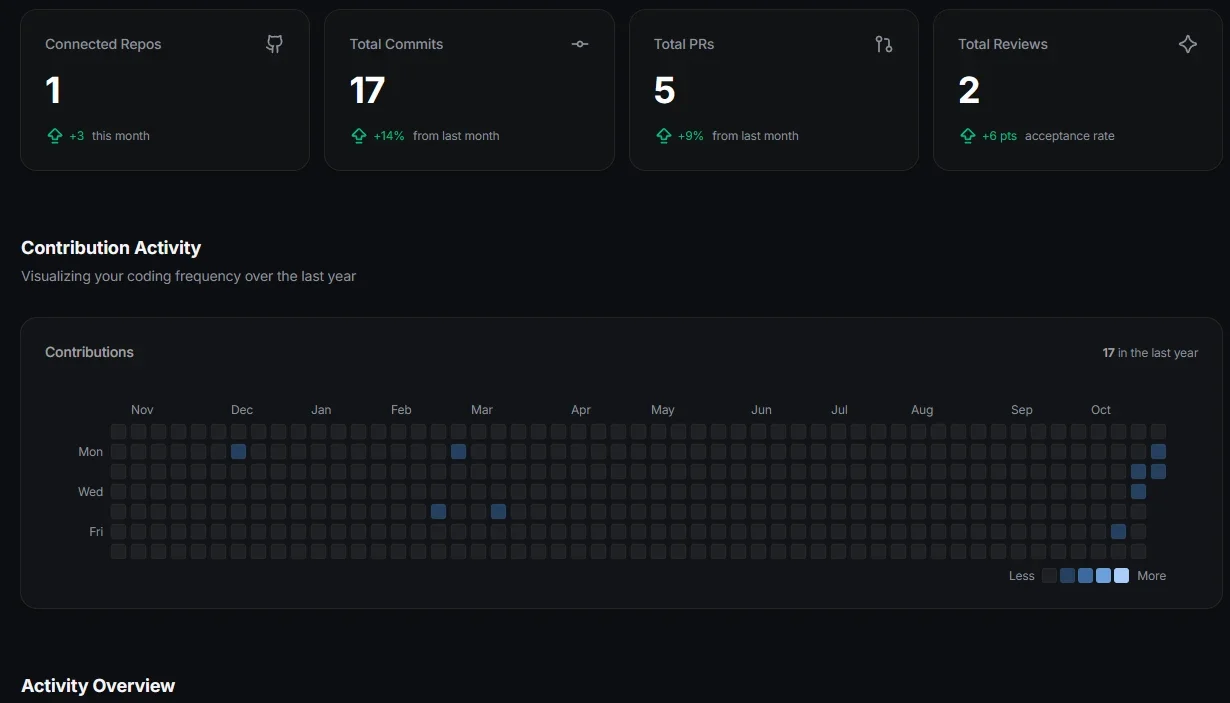
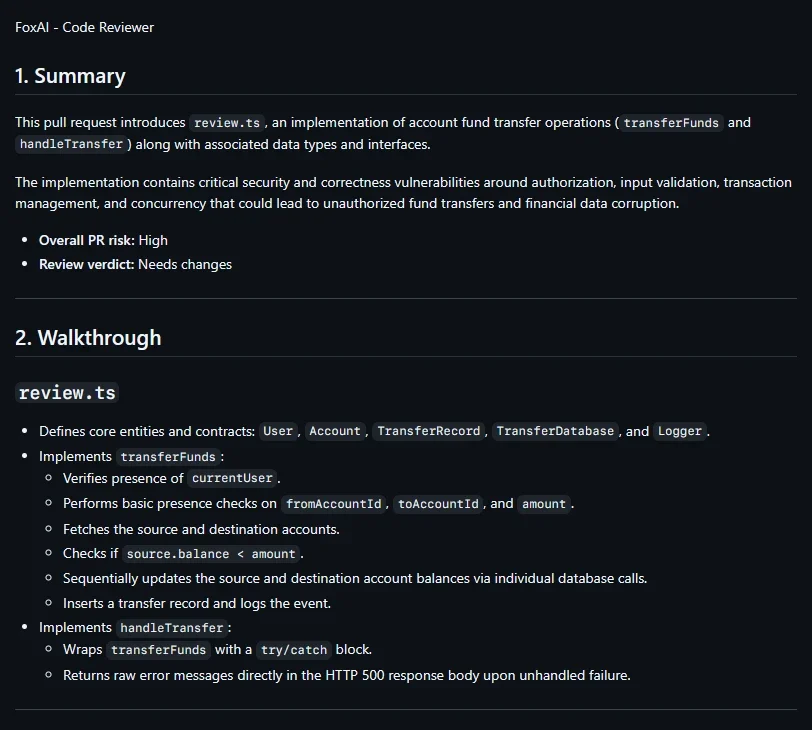
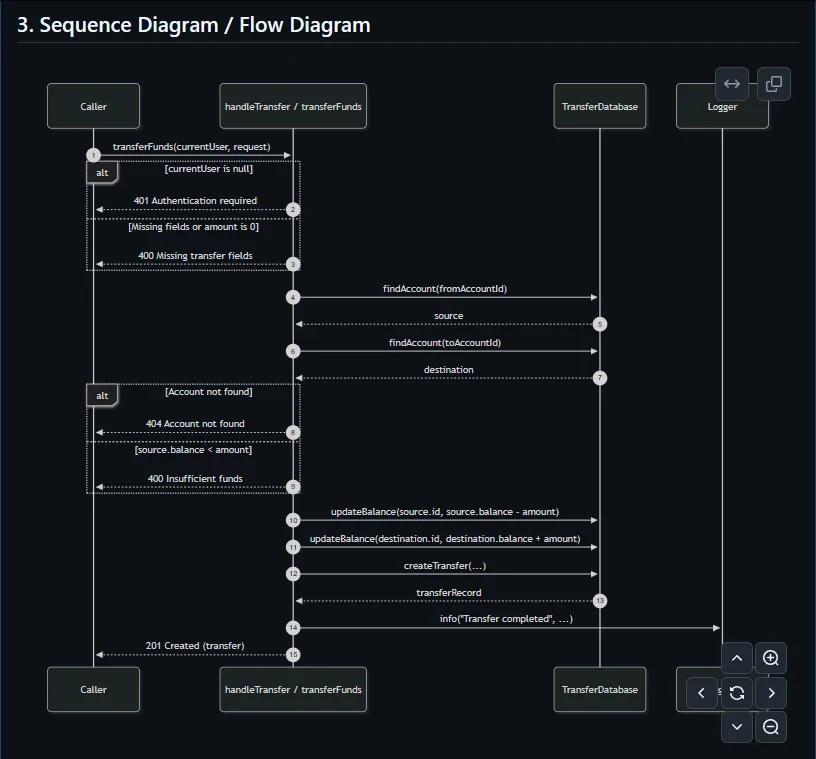
The generated comment contains a summary, a code walkthrough, and prioritized findings. The prompt asks the model to describe the affected code and the conditions under which a finding matters. It can include a sequence diagram when the interaction is easier to follow visually. The screenshots show the difference between the repository dashboard and the review a developer reads on GitHub.
Retrieval lets me give the model relevant surrounding code without sending the whole repository for each review. It also means the usefulness of the answer depends on what was indexed and retrieved. A review comment is evidence for a human reviewer to check against the code.
Screenshots